 Cupcake Directive
Play now
Setup
Press SETUP on the main menu, or in the pause menu during a level.
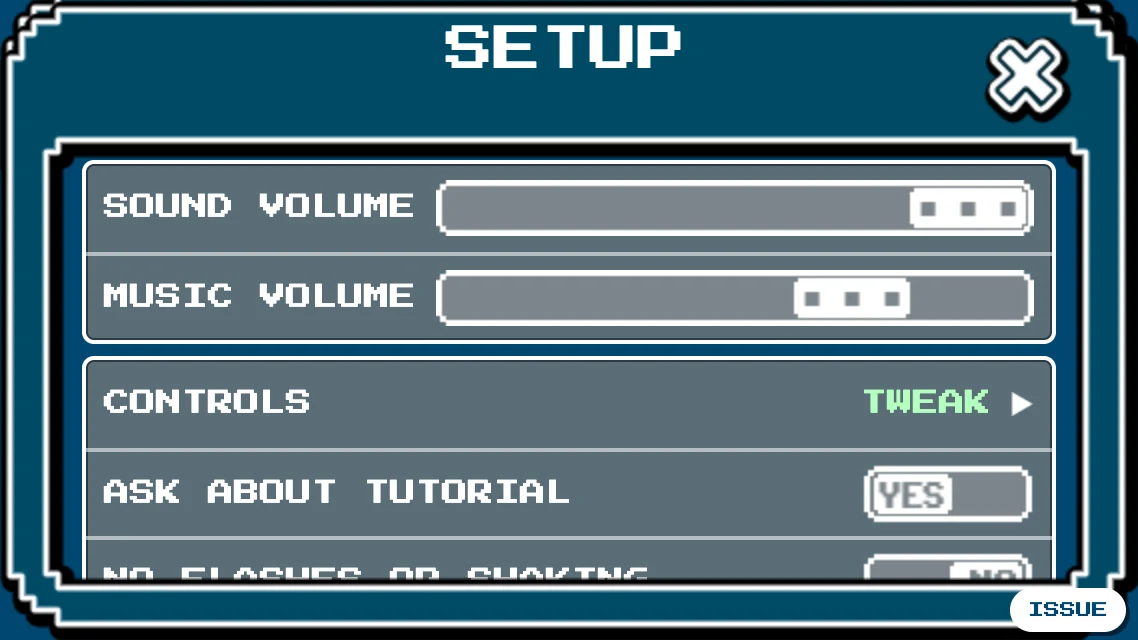
The options
| Sound volume | The game's sounds. |
|---|---|
| Music volume | The game's music. |
| Controls | Your keys and controller: see below. |
| Ask about tutorial | Shows the box pointing here when you create a new level. |
| No flashes or shaking | A calmer screen. |
| Enable restart confirm | RESTART LEVEL asks first, so a stray key doesn't cost you your progress. |
| New editor (preview) | EDIT opens the new level editor, which is still being built: it builds, paints, has the level's settings and music, and undoes (⤺, the browser's Back, or Ctrl+Z; the browser's Forward or Ctrl+Shift+Z redoes), but can't TEST yet. Remembered on this device. |
Keys
Press CONTROLS. In the box that opens, press CONTROLS (TWEAK) once more to see your keys. Click a key's button and press the new key. RESET TO DEFAULTS at the bottom puts them all back.
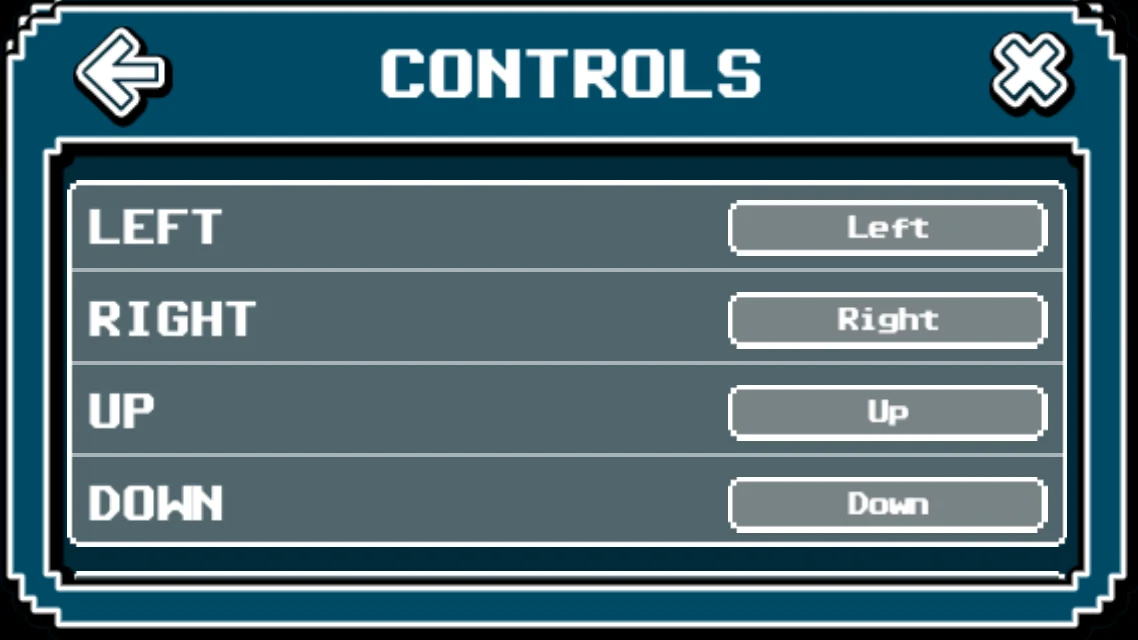
Playing with a controller
Connect a controller and press a button on it. In a browser, the game only sees it after that first press. The controls screen shows its name and lets you choose the button for each action.
| D-pad or left stick | Moves the amber frame in the menus, and Robot in a level. Hold it to go through a list quickly. |
|---|---|
| Cross | Selects. |
| Circle | Goes back. Says no to a question. |
| Right stick | Scrolls a long page. |
| Options | Opens and closes the pause menu. |
| L2 + stick | Looks around during a level. Robot stands still. |
- In the settings, left and right change a slider.
- In the level picker, left and right change level, Cross plays, Circle goes back and Square resets the level.
- In the pause menu, each direction goes to the button on that side.
- Typing and the level editor still need a keyboard, a mouse or a touch screen.
Your account
Your profile's settings are in the community levels: press your name at the bottom of the screen. There you can change your password or e-mail address, sign out, or delete your profile. If you delete it, your levels and times stay under your name, your comments stay as by "unknown", and the name stays taken.